

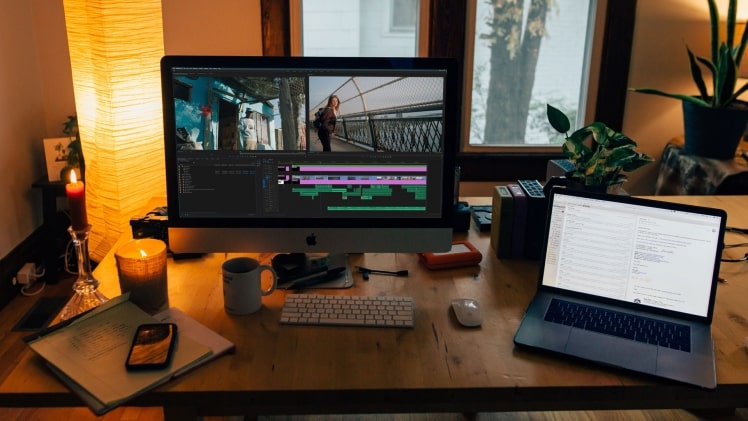
Being the most popular video-sharing platform YouTube has become the first choice for marketers and viewers. This is a highly popular video sharing platform, but this is the second-largest search engine after Google in the world. Therefore, maximum marketing professionals today prefer to upload their videos for better ROI.
Only uploading video to YouTube is not the solution, but this is the initiation, and you have to make the video viewers friendly by necessary editing over it. Editing is part of the video production, which applies to YouTube videos. There are hundreds of video production companies like TRC Brisbane that help businesses to bring videos to life with pre and post-production services that deliver professional results. If you can’t properly spruce up the video, it will fail to impress the audience, and as a result, your objective of uploading videos will remain unfulfilled. On the other hand, when you complete the video with proper editing, it will look polished and engage the audience.
If you have a slim budget and can’t afford video editing software, then YouTube has something for you to assist with. You can edit the videos online, completely free and easily accessible with this tool.
This post will let you know how to use YouTube’s video editing tools and make your videos more engaging while maintaining the highest quality standard. It will let you achieve the marketing goals.
Ways to use the YouTube video editor
YouTube’s video editor is full of basic editing tools that are completely easy to use. However, if you are a beginner, it will be best to learn the basic things to edit your videos online without the help of external help. So, if you want to trim the videos, then here are the steps to follow.
- Sign in to the YouTube Studio.
- Click on the content
- In the upload section, click on the video’s thumbnail that you want to edit.
- Click on the editor
- Now, you can see the entire video in the frame. Trim the video wherever you want.
If you want to trim the video at the initiation or last part of your uploaded video, then select the “trim” button located at the video’s timer.
You can see a blue box around your video timeline panel. Now time to drag them to properly chop them off the unwanted part of the video that you don’t want to include in your final published version. Time to click on the “Preview” button to watch the video completely to know whether it is final or needs any other editing work. If you are satisfied with the edited video, then time to save that by clicking on the “save” button.
How to trim the clips from the middle of the video
To trim any part from the middle of the video, you have to select “Trim”. With the help of a YouTube video editor, it is possible to trim any specific part of the video out of the entire clip. Then go to the timeline panel and click the beginning of the portion you don’t like to be in your video. After selecting that portion, it is now time to press “split”. Then, click the end of the clip you want to remove in your timeline panel and press “split” again. In the end, click on the blue line at the beginning or end of the clip and drag it to the other side to trim that out of your entire video. Click on the “preview” button to properly view the entire video and if you are satisfied with the final version of the editing, then click on “save” to finalize the task.
How to add an end screen to your video
If you have a full-fledged YouTube channel and want to let your viewers know about your different videos, playlists, or appeal to subscribe to the channel, then click on the end screen icon. You can locate it at the bottom of your timeline panel.
It is easy to upload the existing end screen template by clicking on the Apply template in the pop-up menu, or you can also choose that from the editor’s native options.
Edit videos for YouTube
Each YouTuber knows that editing videos are essential for running a channel. It also needs to make sure that you edit the final products that users can be interested in. Therefore, post-production editing of the YouTube videos is essential to every YouTube channel owner before finalizing their videos.
Engaging thumbnails for videos
Thumbnails are the initial thing that the viewers get to encounter. Therefore, it is crucial to create a thumbnail that would rightly hook the viewers. Thumbnails are not specific. They can be any special video moment, screenshots, GIFs, or even simple text-based titles. However, while making thumbnails, make sure that they are approachable and able to hook the audience and force them to click on the video.
Tell a story through the videos.
The audience wants to learn the story through the video. It means you should follow the fundamental elements of storytelling while making the video. Maintain the flow and excitement while preparing the video. Put exciting captions at the beginning, middle, and end of the video to hook the audience till the end of the video.
Use the engaging elements in the video to make it crispy.
The objective of a successful video is to educate the viewers regarding the topic that you want to share with them. That can be done when the audience watches the video till the end. To hook them throughout the video, you should tell the story by adding engaging and crispy elements in your video during the editing. You can use different elements like images, text, animations, music, and fun transitions. While choosing them, make sure that the elements will complement the videos.
Over to you
To sum up, making a Youtube video is fun with the above tips in mind.
YouTube is the biggest platform to share your videos. It has an inbuilt video editing tool that can rightly assist in polishing the video; besides, you may choose to use additional editing software from the internet.
Best youtube to mp3 and mp4 website yt1s
